
Adding Services and Utilities to a Property
You can track essential home services and utilities directly within each property's detail page. This feature allows you to link service providers, like your internet company or a landscaping service, from your central Contacts list to a specific property for easy reference.
Finding and Adding a Service
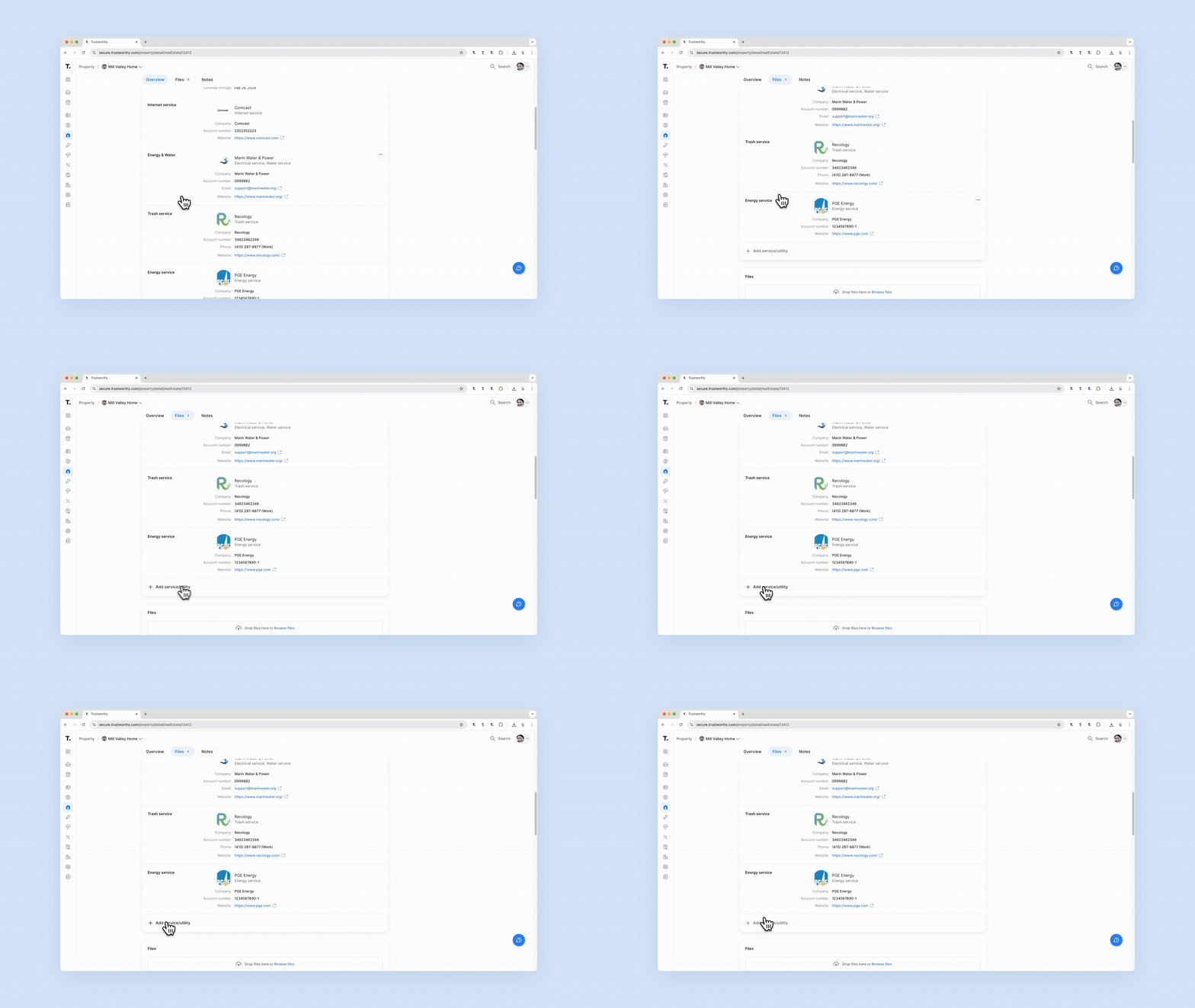
To get started, navigate to the Property section from the main menu and select the property you wish to update. Scroll down the page past the mortgage and insurance details to find the services section. Here, you will see a list of existing services and an option to + Add service/utility.
How to Link a Service Provider
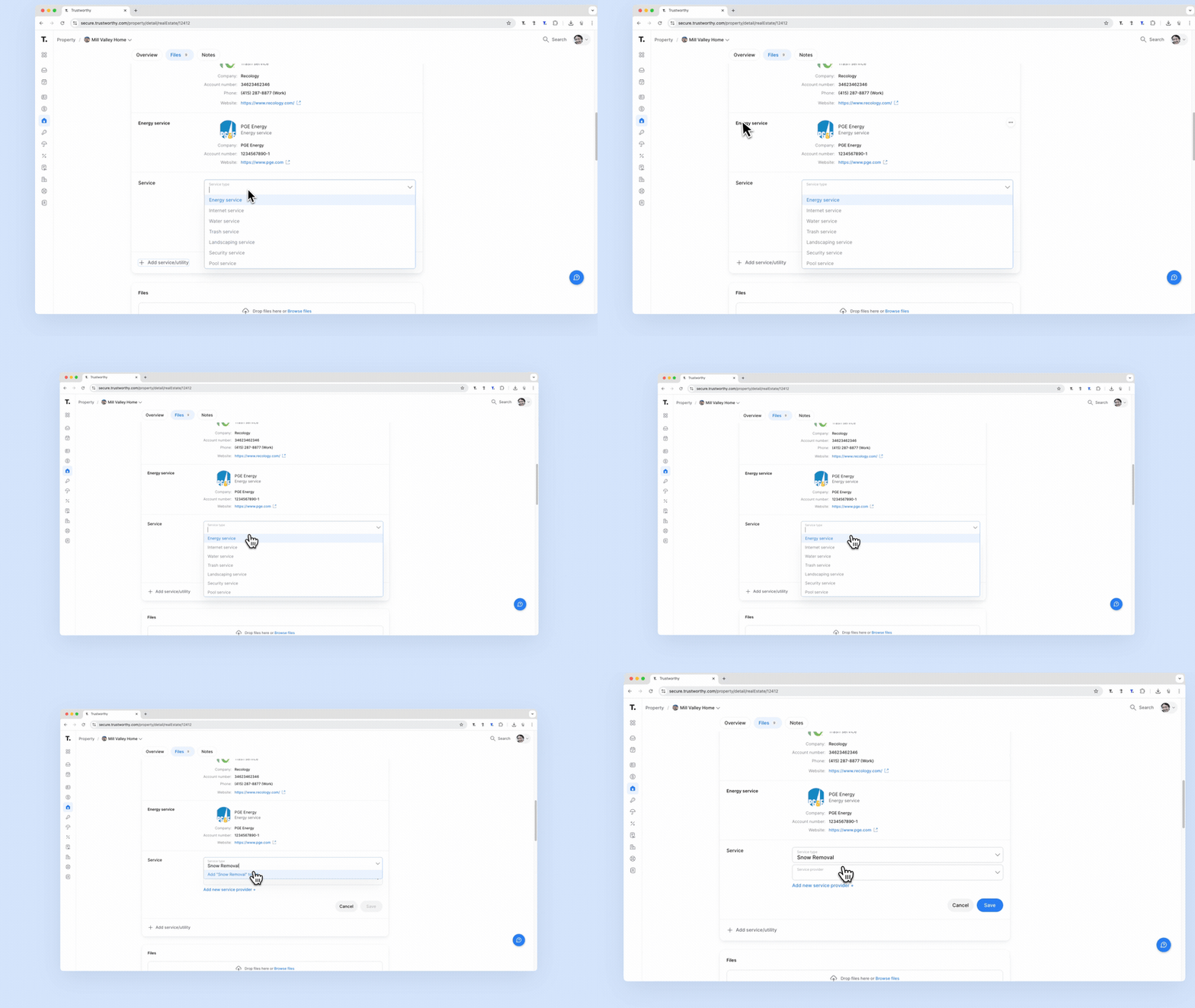
When you click + Add service/utility, a new form will appear. This form allows you to define the service and link the provider.
Service type: Select a category from the dropdown menu, such as 'Internet service' or 'Energy service'. If the category you need isn't listed, simply type it in and add it to the list.
Service provider: Select the company from the dropdown menu. This list is populated from your main Contacts list.
Add new service provider: If the provider is not yet in your contacts, you can click this option to add them on the fly.
Creating a New Service Provider Contact
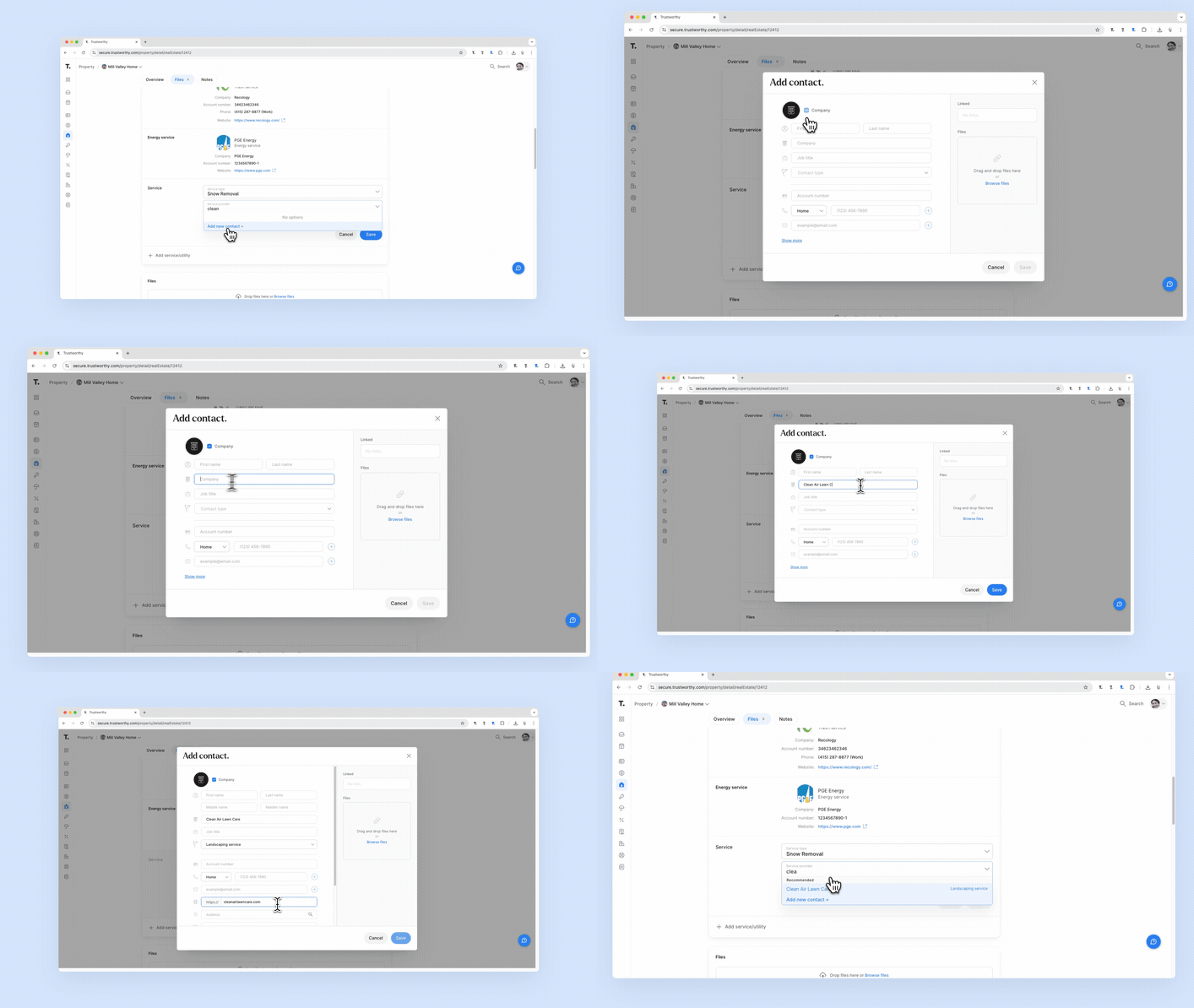
If you choose to add a new service provider, a modal window will open for you to add a new contact. For utility companies or businesses, check the Company box. Fill in the company's name and any other relevant details like their website or account number. Once saved, this new contact will be automatically linked to the service you are adding and will also be available in your main Contacts section for future use.
Tips for Using This Section
To streamline the process, consider adding all your regular service and utility companies to your Contacts section first. This way, they will be readily available in the dropdown menu when you link them to your properties.
Summary
This article explains how to add and manage service and utility provider information for your properties. The feature works by linking providers from your central Contacts list, allowing you to create a comprehensive and organized record of all services associated with each home.