
Contacting Trustworthy Support
We’re here to help.
If you have a question or run into an issue that can’t be solved in our Help Center or automated chat agent, you can contact the Trustworthy Support team.
The easiest option is to contact us at support@trustworthy.com. Include any details about the steps you took or what you are trying to do so we can help you quickly.
Helpful details include whether you are on web or the mobile app, what page you were on, and screenshots or screen recordings of any issues you encountered.
Gold and Platinum members may also use Help Chat for live support on our website or inside your account. If Live Chat staff are busy with other customers, you'll be directed to email to avoid a long wait.
Trustworthy Support is available by email and chat. We do not have a support phone number.
If a team member is unavailable by live chat, we strive to follow up by email within 24 hours, Monday through Friday.
Contacting Support from the Trustworthy Website
If you are not logged in—or do not yet have a Trustworthy account—you can still reach our support team from the main Trustworthy website.
The support chat is designed to provide quick answers and, when available, connect our Gold and Platinum members with a team member live.
Navigate to Trustworthy or click this link.
Locate the blue chat icon in the lower-right corner of the page.
Click the icon to open the chat window and select a topic to get started.
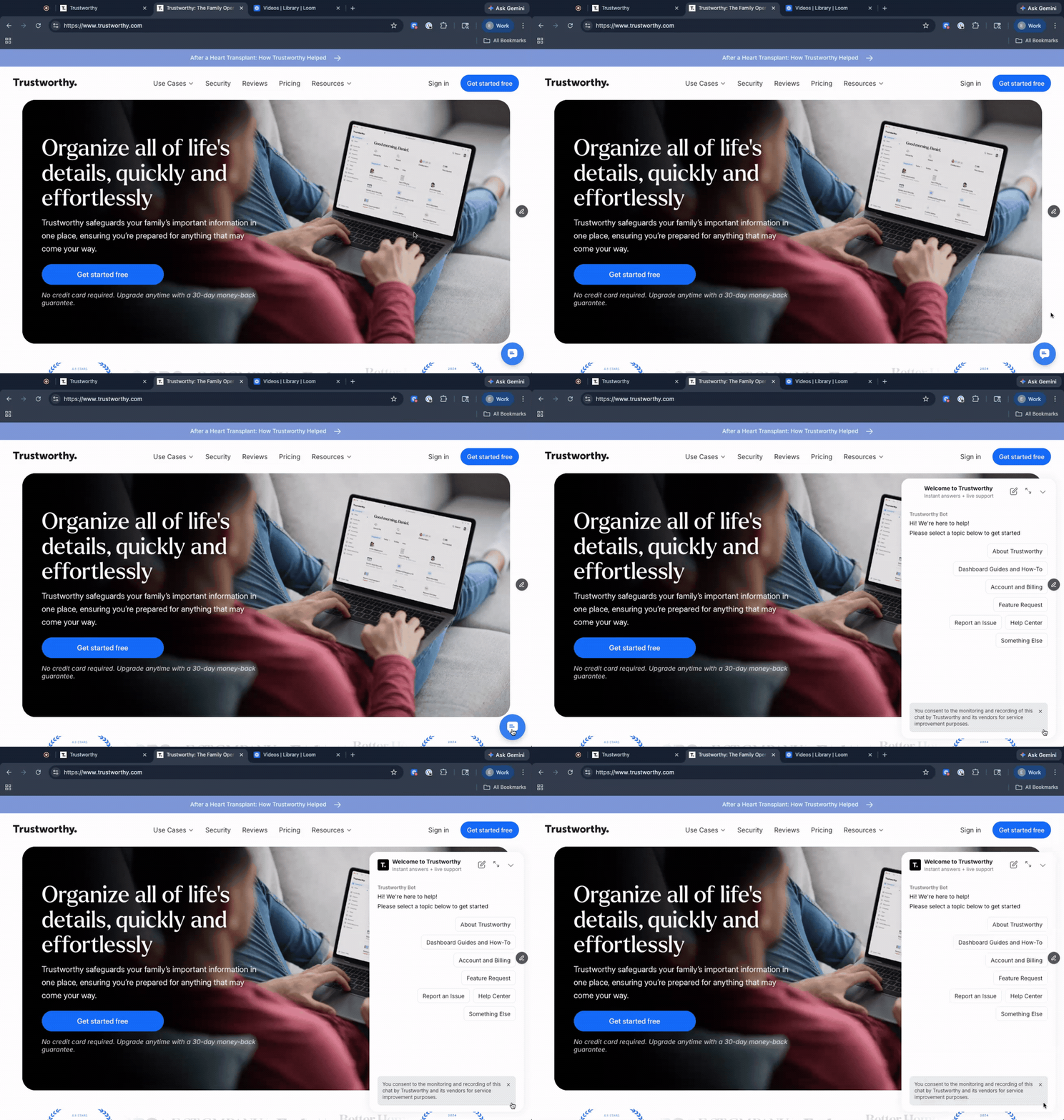
Contacting Support from Your Trustworthy Account
For personalized assistance, we recommend contacting support while logged into your Trustworthy account.
This allows our team to have account context and provide more efficient support.
Sign in to your account.
Locate the Help button in the upper-right corner of your dashboard.
Click Help to launch the support widget.
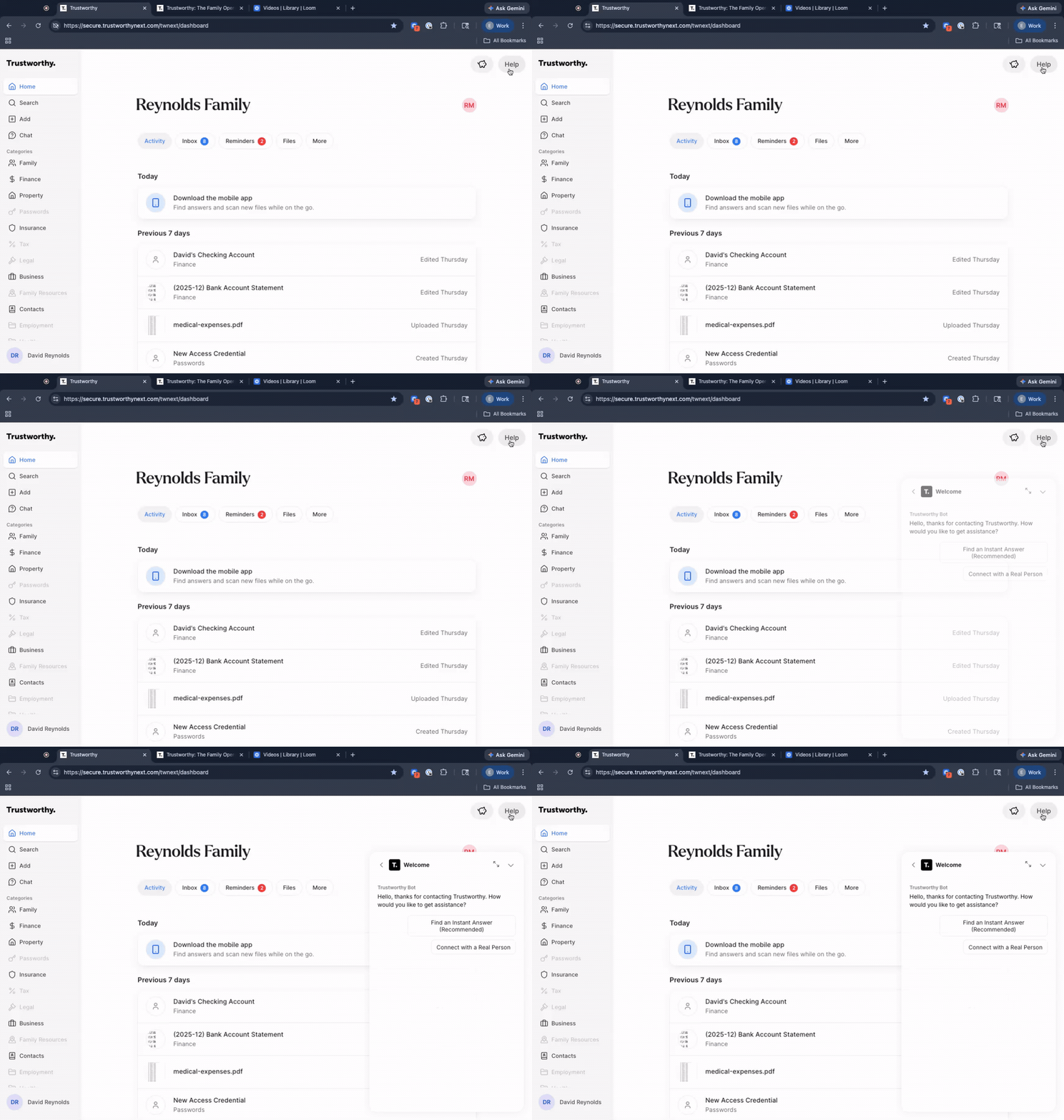
Does Trustworthy Have a Phone Number?
No. Trustworthy does not have a support phone number you can call, and we do not offer a callback line. Support is handled by email at support@trustworthy.com and through Help Chat.
If you see a phone number listed for Trustworthy somewhere else, it did not come from us. Please do not call it or share any account details, and let us know at support@trustworthy.com so we can look into it.
Scheduling a Support Call
For members who need more direct assistance, we may offer a scheduled 15-minute support call for one-on-one help. These calls are by appointment only.
Scheduled calls are primarily available to Platinum members as part of their membership benefits. In some cases, our team may offer a scheduled call to other members when additional assistance is needed.
When a call is scheduled, the calendar invitation will include two ways to join:
Join online with Google Meet — recommended, as it allows screen sharing so we can troubleshoot together in real time. On a computer, Meet opens right in your web browser—there is nothing to download or install, and you do not need a Google account. Enter your name when the link opens and we will let you in.
Dial in by phone — a Google Meet call-in number, included in your invitation, if you prefer audio-only support
Screen sharing is often the fastest and most effective way for us to resolve technical issues or answer account questions.
We’re committed to helping you find answers as quickly as possible. If you have an issue that can't be solved in our help center, please email us at support@trustworthy.com or use our Help chat.