
Archiving vs Deleting: How to Keep Things Tidy
Sometimes you may want to clean up your account without permanently deleting information. The archive feature allows you to hide items from your main view, keeping them accessible for future reference. You can archive items from any category page.
How to Archive an Item
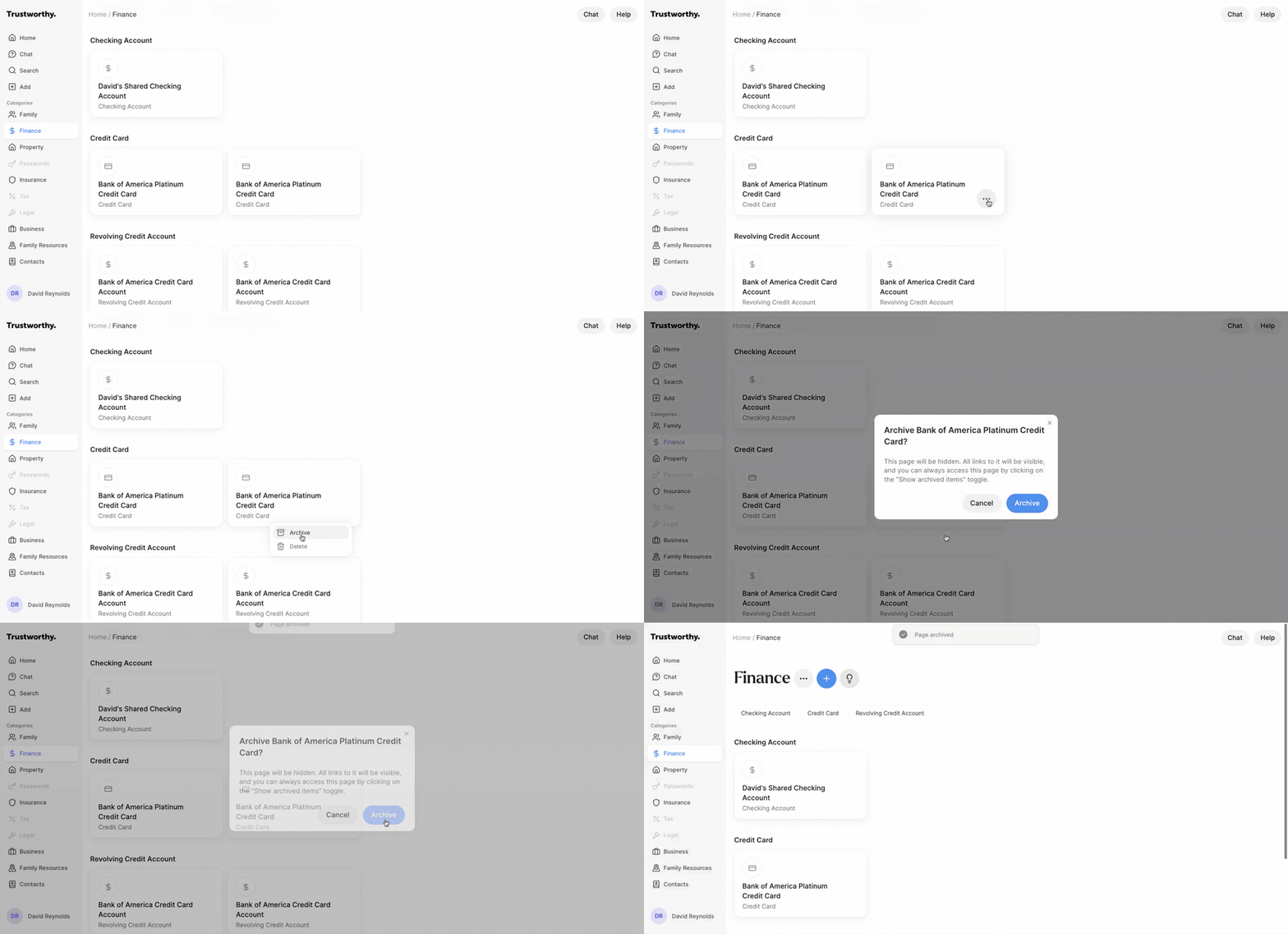
From a category page, you can archive an item you no longer need to see regularly. This action will hide the item from the default view, helping you declutter your space.
Hover over the item you wish to archive and click the three-dot menu that appears.
Select Archive from the dropdown menu.
A confirmation window will appear, explaining that the page will be hidden. Click the Archive button to proceed.
The item will be hidden, and a "Page archived" notification will confirm the action
How to View and Unarchive Items
You can easily view your archived items or restore them to the main view at any time.
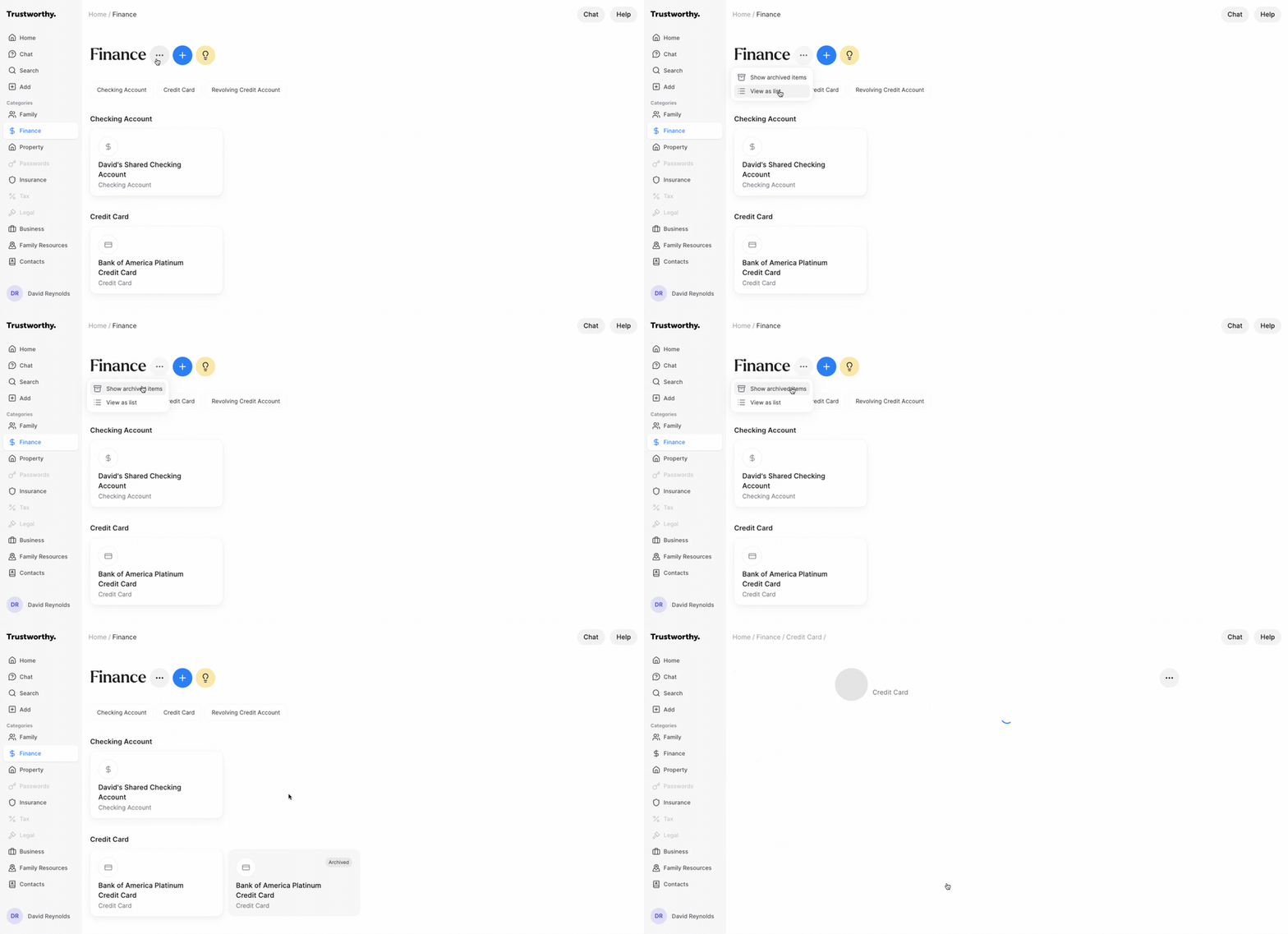
To view your archived items, navigate to the category page, click the three-dot menu next to the page title, and select Show archived items. Your archived items will now appear in the list, marked with an "Archived" label.
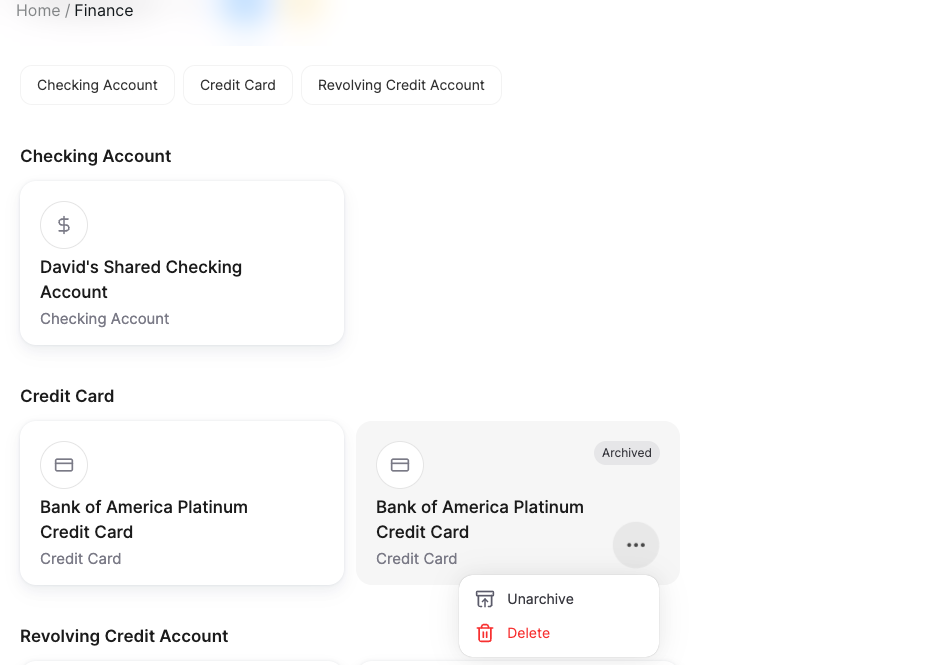
To unarchive an item, click the three-dot menu again.
Archiving vs. Deleting
Use the Archive function to hide items you want to keep for your records but don't need in your active view. Use the Delete function only when you are certain you want to permanently remove an item and all its associated data.