
Send Files to Trustworthy from Other Apps
Edited
Easily send files to Trustworthy right from your iOS device. No matter where you are - browsing through emails, flipping through photos, or managing device files - a few taps is all it takes. Instantly share documents to Trustworthy for secure and organized storage.
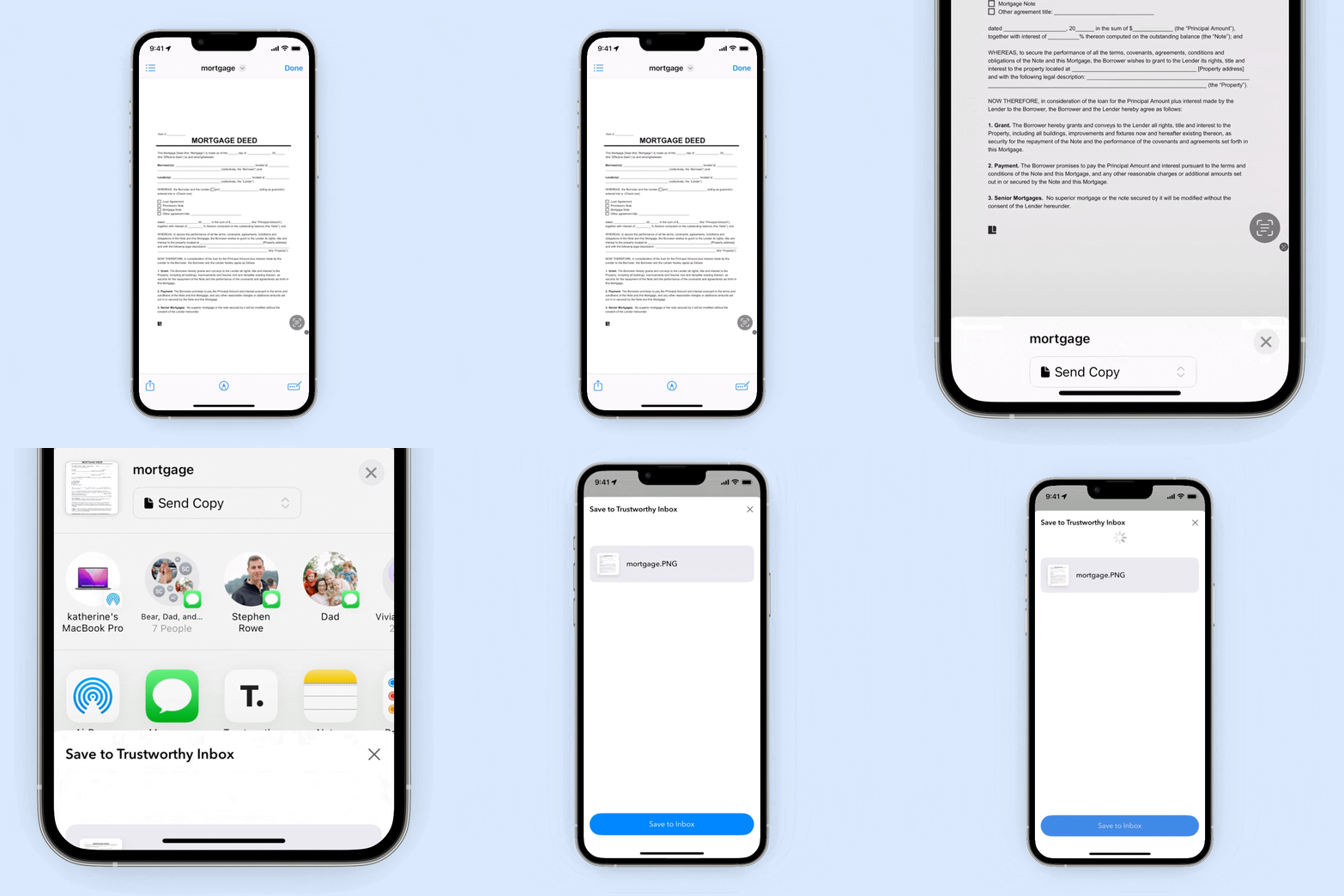
Tap, Share, Done
Spot Trustworthy on Your Share Sheet: While viewing a file, hit the share icon.
Select Trustworthy: Tap the Trustworthy app icon, then choose 'Save to Inbox'.
Securely Stored: Your file lands safely in your Trustworthy Inbox, ready to be neatly filed whenever you are.
Was this article helpful?
Sorry about that! Care to tell us more?