Using the Activity Feed to Track Changes
The Activity Feed is a chronological log of what has happened in your Trustworthy account — what has been created, edited, uploaded, and viewed. Located on your Home screen, the feed is a central place to stay on top of recent changes, track uploads, and quickly return to information you recently viewed or edited.
Understanding the Activity Feed Structure
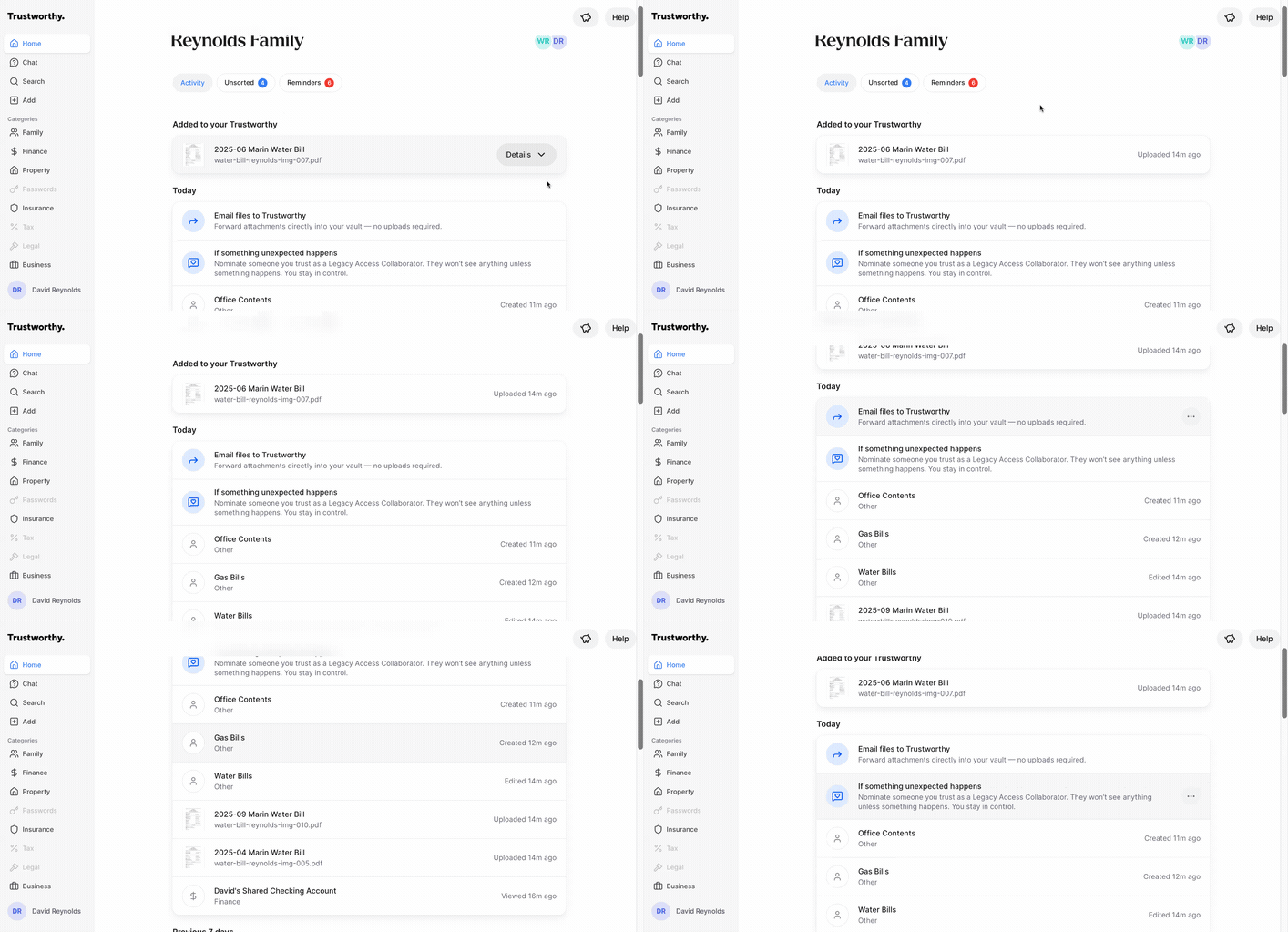
The feed is organized in reverse chronological order, with the most recent activities at the top. It is grouped by timeframes such as Today and Previous 7 days. Each entry in the feed displays key information about an action.
Item Name: The name of the document, contact, or item that was acted upon (e.g., William Reynolds or 2025-09 Marin Water Bill).
Category: The category where the item is located (e.g., Family or Finance). Clicking an item takes you directly to its detail page.
Action and Timestamp: The specific action that was taken and when it occurred (e.g., Uploaded 14m ago, Viewed Tuesday).
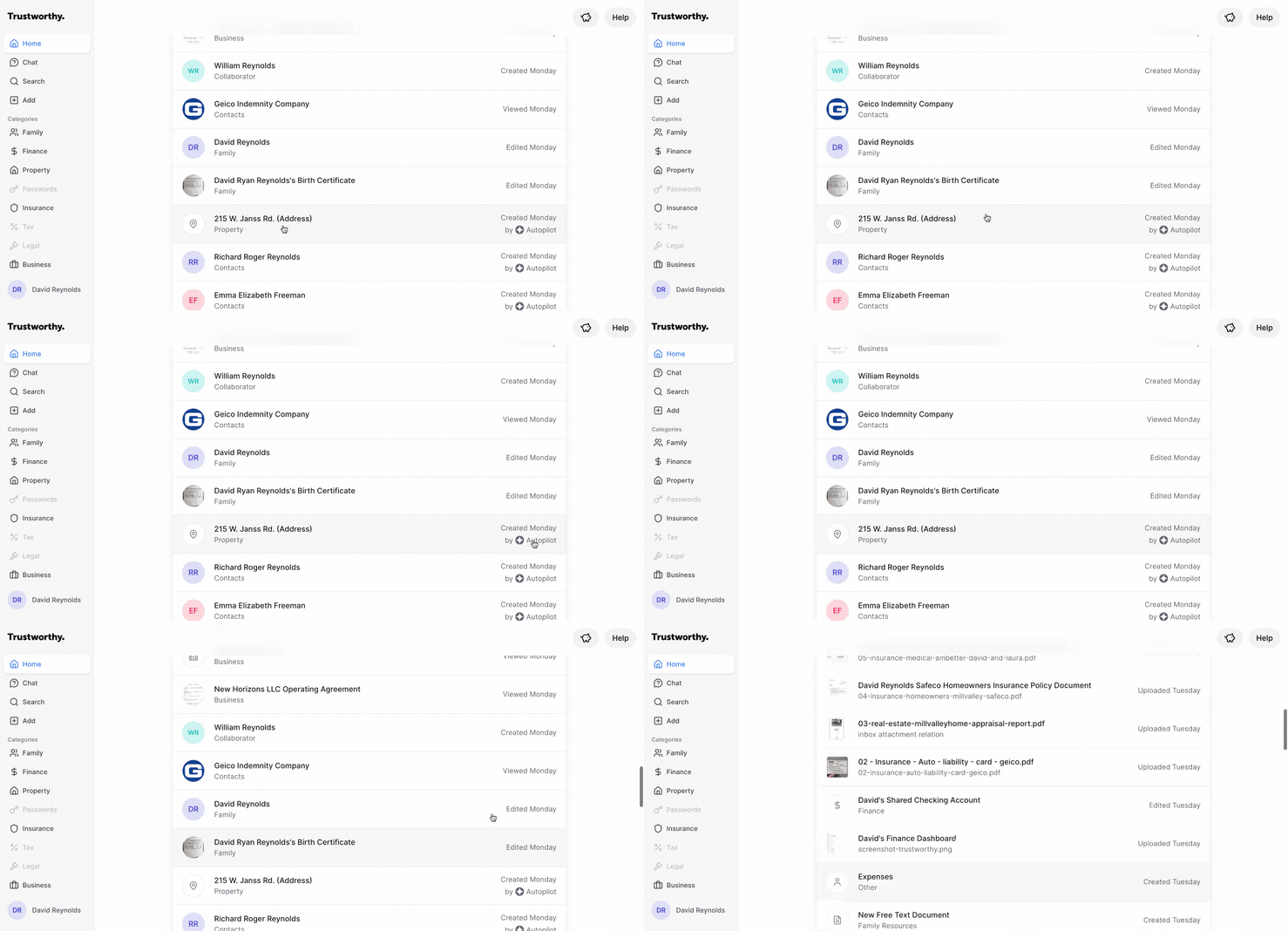
Actor: For some actions, the feed indicates who or what performed the action. For example, items created through automated processes will show as created by Autopilot.
Viewing Upload Details
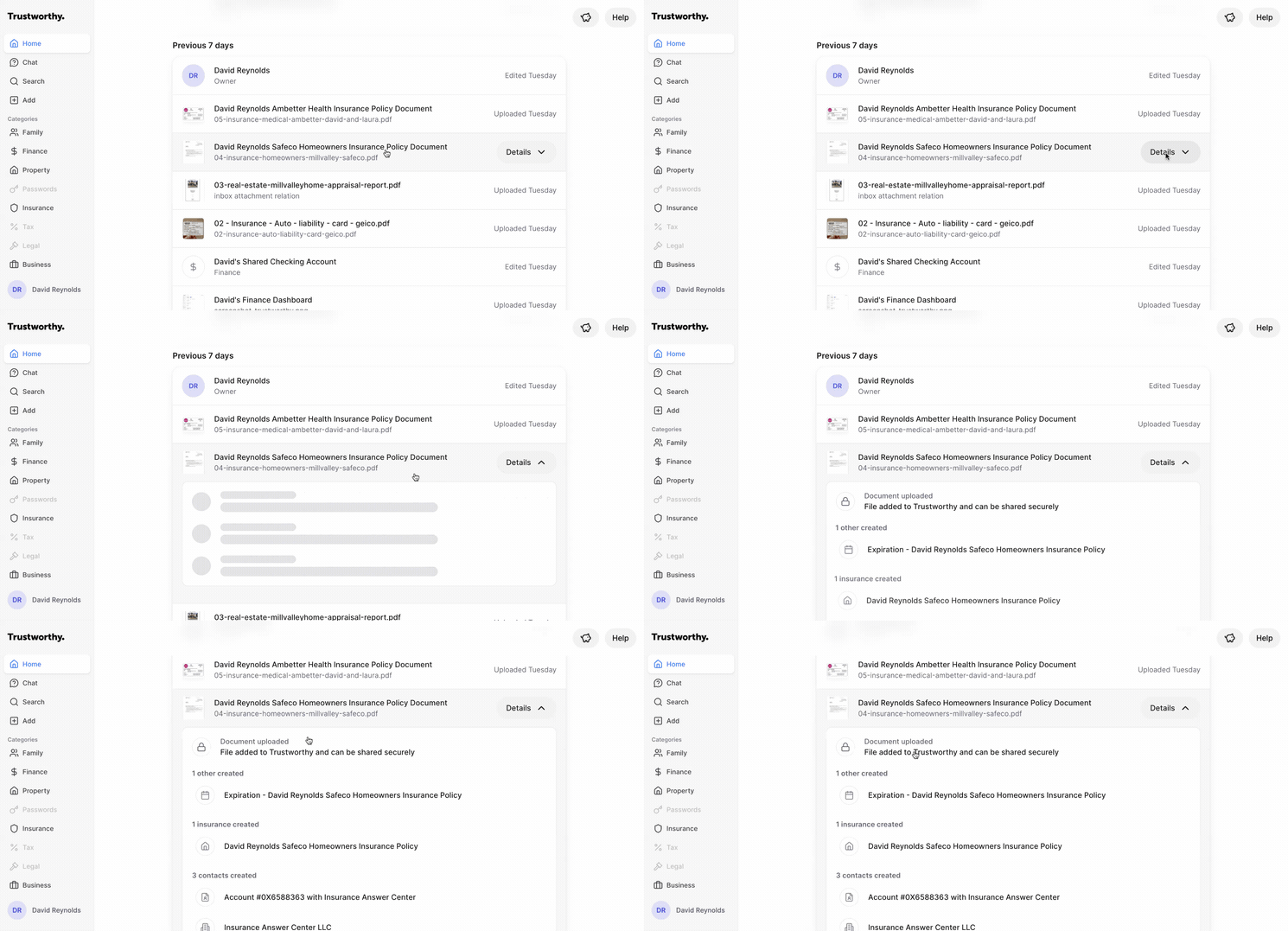
When you upload a document, Trustworthy automatically extracts key information and creates multiple related items. The Activity Feed makes it easy to review these automated actions.
For document uploads, a Details button will appear in the feed entry. Clicking this button expands the view to show a summary of all the items and information created from that single upload, such as new contacts, insurance policies, or expiration date reminders.
Tips for Using the Activity Feed
Use the Activity Feed to review all newly created items after performing a bulk upload, such as connecting your Gmail account or forwarding multiple email attachments. This allows you to quickly verify that everything has been categorized correctly and see all the valuable information Trustworthy has organized for you.
What You See Depends on Your Access
As the account owner, or as a collaborator with full access, your feed covers everything in the account. Collaborators with partial access see activity only for the categories and items shared with them, and advisors see activity only in the categories you granted them. A shorter feed usually reflects narrower access rather than a quieter account. See Understanding Collaborator Access in Trustworthy.
Viewing is private to the person doing it. Your feed shows the items you opened; it does not show which items anyone else opened, and they cannot see yours. Everything else — what was created, edited, uploaded, or removed — is visible to everyone whose access covers that item.