How to Change a Page's Subcategory or Type
If a page is saved as the wrong type of thing, you can change it easily. Your page keeps its name, files, connections and reminders — you do not need to delete it and start over.
Common examples:
A vehicle originally saved as an Automobile that you want to move to a different vehicle type — for example, Motorcycle, Commercial Vehicle, Watercraft, Aircraft, or simply Other Vehicle.
A checking account that was saved as a savings account.
A credit card that was saved as a bank account.
These page types are called subcategories. You may also see them called concepts or concept types in Trustworthy — they are the same thing. Changing a page's subcategory moves the page into the right section automatically, which is why this is often described as moving a page to a different type.
Looking to move a file into a different page or folder instead? See How to Reorganize Files and Folders.
Changing a Page's Subcategory
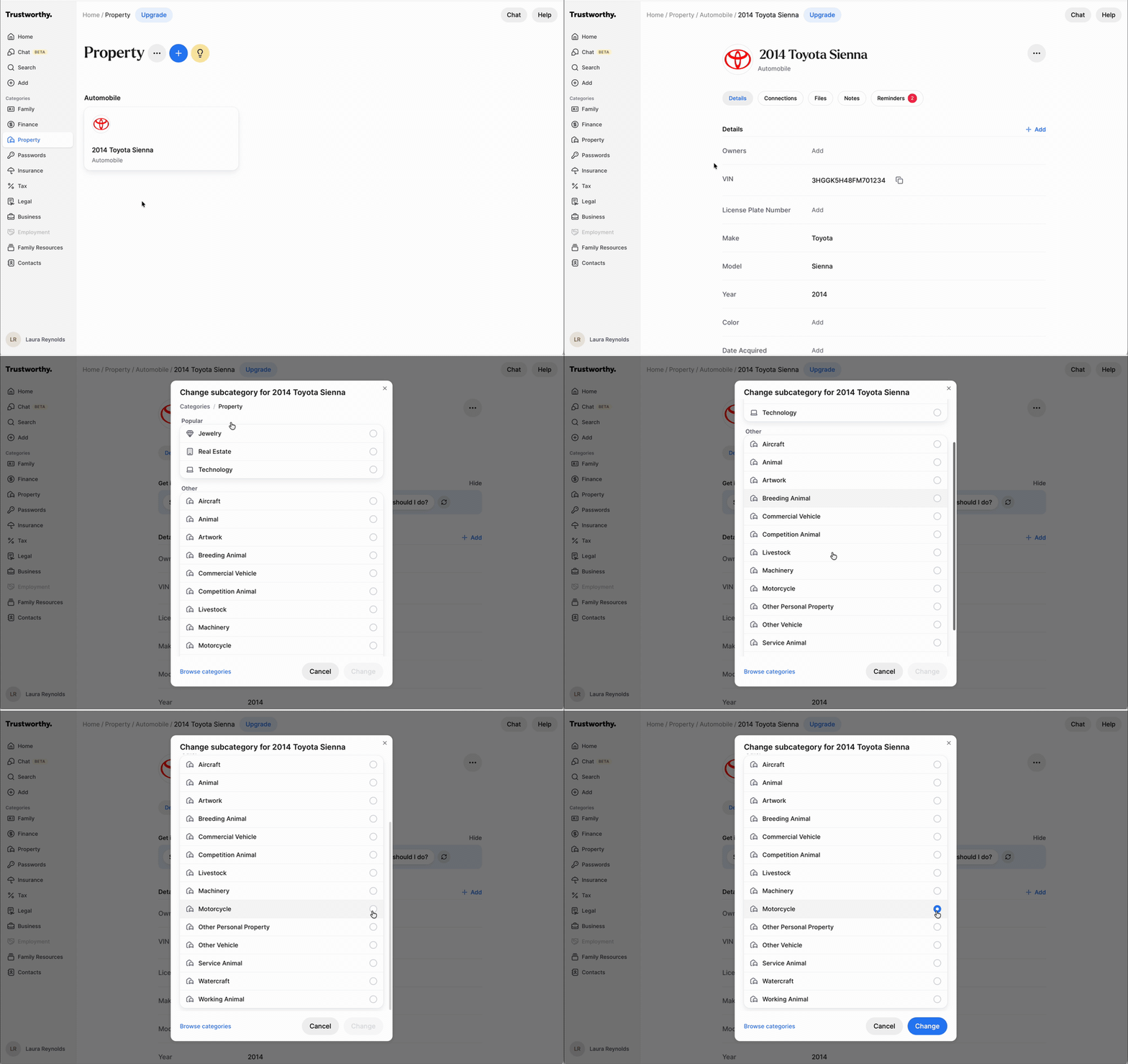
Open the page you want to change — for example your car's page in Property.
Just below the page title, click the current subcategory (for example Automobile). Hovering over it reveals the edit pencil icon.
In the Change subcategory window, choose the new subcategory from the Popular and Other lists — for example Other Vehicle.
Click Change.
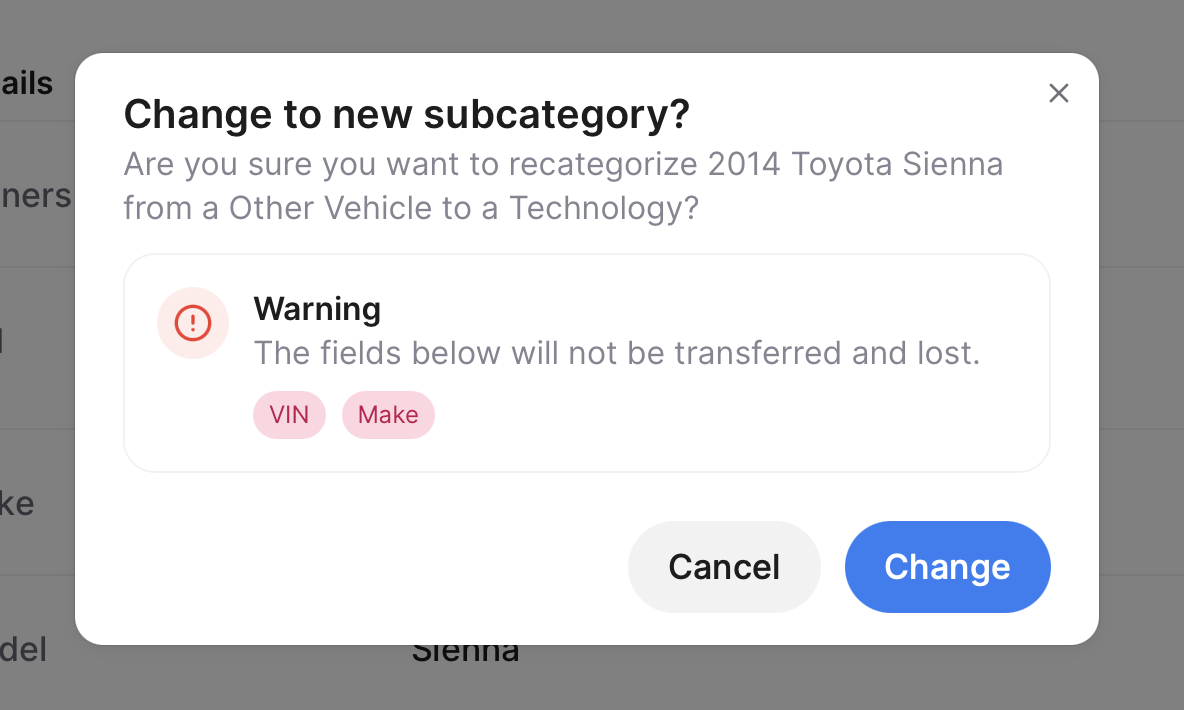
Review the confirmation message and click Change again. The page is updated and moved to its new section automatically.
Choosing a Subcategory From Another Category
The window opens on the category the page is already in, so a car in Property offers the other Property subcategories. To pick a subcategory from a different category — for example moving a page out of Property and into Finance — click Browse categories at the bottom of the window, choose the category, then choose the subcategory.
On the Mobile App
You can do the same thing in the Trustworthy app for iOS and Android. Open the page, tap the three-dot menu at the top of the screen, tap Change subcategory, then choose the category and the new subcategory and confirm.
Information That May Not Transfer
Some subcategories hold information that does not exist in others. For example, a savings account includes Account Holders, while an installment loan includes Borrowers.
If the change would remove information, Trustworthy shows a warning listing the fields that cannot be transferred before anything happens. Read it carefully — anything listed is removed once you complete the change. If you would rather keep that information, click Cancel and create a new page of the correct subcategory instead.