
Understanding the Finance Category
The Finance category helps you build a clear, complete view of your financial life in one place. It's where you organize key accounts — bank accounts, credit cards, investments, loans, and more — for each person in your household. In everyday life it keeps things organized; in a moment that matters, it helps the right person step in without guessing.
Add Your Finances
The easiest way to start is to upload documents — just drop them on the homepage of your account. You can also add an account manually with the + button next to Finance. Common starting points include:
Bank and credit card statements
Investment accounts
Loan and mortgage documents
Retirement accounts (e.g., 401(k), IRA)
Education savings plans (e.g., 529)
Adding a credit card. The easiest way is to drop a credit card statement into your Inbox and let Trustworthy create the page for you. To add one by hand, go to the Finance category, click the blue +, choose Credit Card, and fill in what you know.
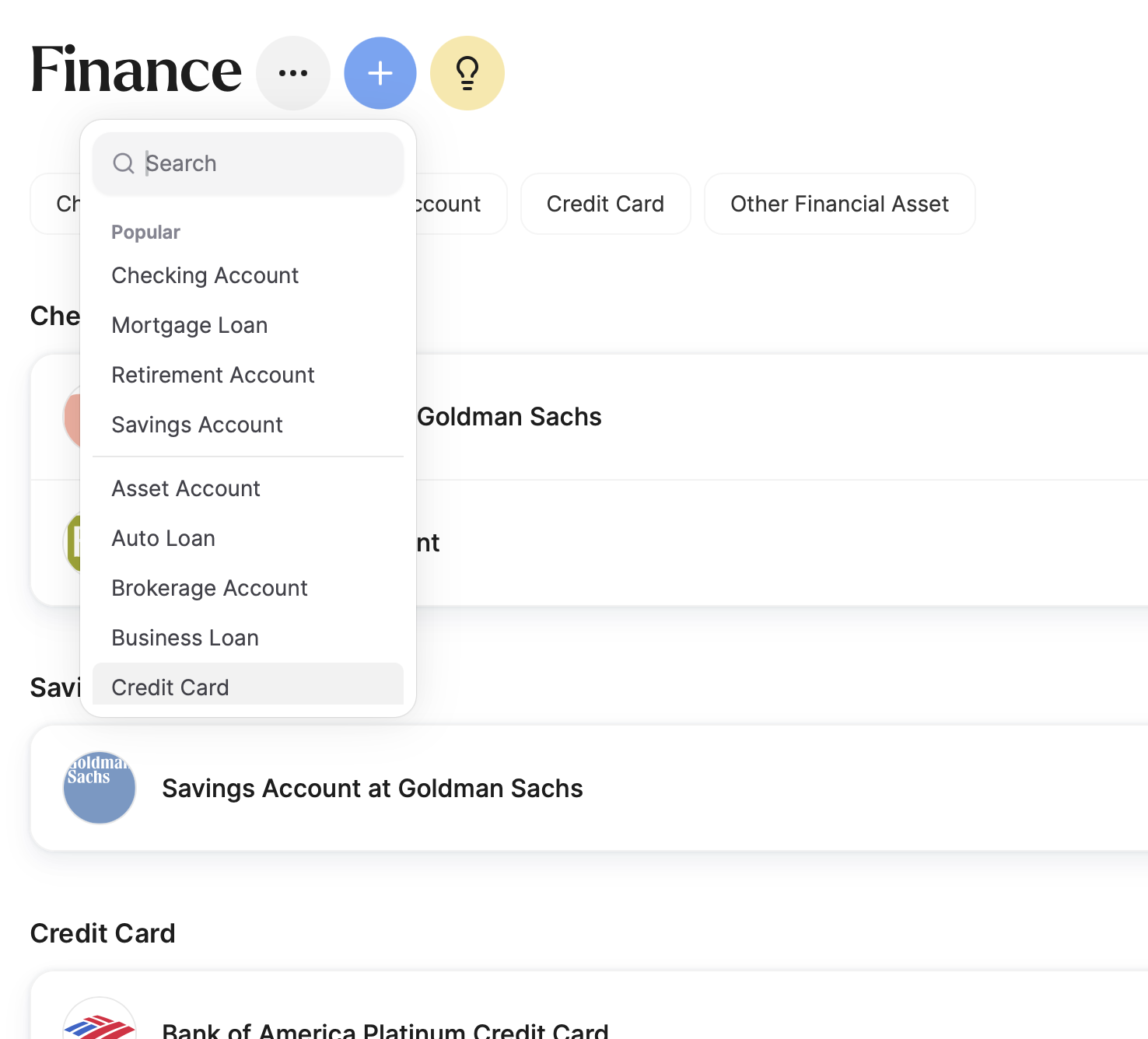
Which Account Type to Choose
Most accounts that hold money or investments have their own place in Finance: Checking, Savings, Money Market, Brokerage, Retirement (401(k), 403(b), 457(b), Traditional and Roth IRA, SEP and SIMPLE IRA, pension), and Cryptocurrency (an exchange account or a wallet).
Asset Account is for accounts that hold assets but aren't one of those six:
A certificate of deposit (CD), a time deposit, or a Guaranteed Investment Certificate
A credit union share account
A current or transaction account from a bank outside the US
An account you know exists but can't identify yet — if you have a statement but aren't sure what kind of account it is, record it here and set the type later
Annuities go under Other Financial Asset rather than here — see below.
Once you fill in the type and institution, the page names itself from what you entered — a CD at Chase shows up as "Certificate of Deposit Account at Chase", not a vague "Asset Account".
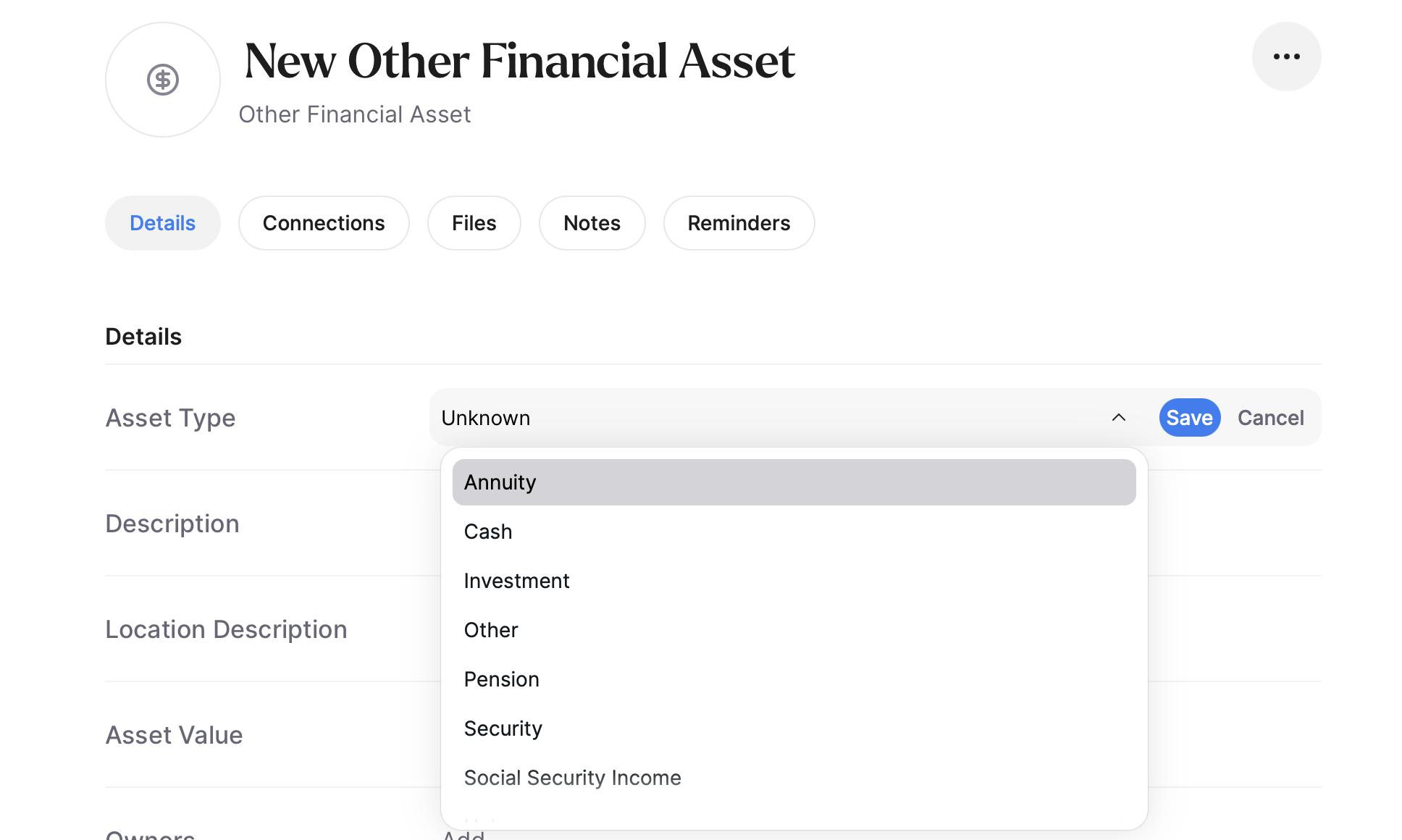
Other Financial Asset is for money or investments that aren't held in an account at all, or where you don't have the account details. The difference is simple: an asset account has a provider and an account number, an Other Financial Asset doesn't. Use it for:
Paper savings bonds (Series EE or I), paper stock certificates, or shares from a former employer you never moved into a brokerage
An annuity contract
A pension you receive payments from but have no account number for
Social Security income
Cash kept in a home safe — somewhere your family would need to find it
A stake in a private or crowdfunded investment, or a loan you made to someone
It's also the catch-all: if nothing else fits, file it here rather than leaving it out.
Things that belong elsewhere. Credit cards, mortgages, auto loans and student loans are debts, and each has its own page type with its own fields. Gold, silver, coins, gemstones, jewelry, art and collectibles go in Property as personal property — they're physical things you own, not claims on money. A house or land goes in Property; a life insurance policy in Insurance; ownership of a business in Business.
What Trustworthy Suggests for You
When you add a file, Autopilot extracts key details, suggests connections across categories, and creates helpful reminders. For many institutions, it also fills in logos, website links, and contact information. If an institution or its details don't populate, flag it — we're continuously improving coverage.
Add Helpful Connections for More Context
Connect related information across categories. For example, if you store online banking credentials in the Passwords category, link that login to the matching account in Finance using the Connections section — so access is faster and more intuitive when you need it.
Ask Chat
Not sure where to begin? Chat can guide you. Try:
"What financial information should I add first?"
"What am I missing for a complete financial picture?"
"What would my family need access to in an emergency?"
Chat can generate simple checklists and next steps based on your situation.
Files, Notes & Reminders
Each financial page includes a Notes section — a great place for instructions or context a family member might need to understand how an account is used, accessed, or managed. You can also store supporting files like statements and set reminders for dates that matter, such as payment or renewal deadlines.
Where to Put Something Like a Financial Plan
Not every financial document maps to a standard account type — and it doesn't have to. A financial plan is a good example: it isn't a bank account or a loan, but you may want to keep it alongside them. Two approaches work well.
Option 1: Other Financial Asset. From the Finance category, use the + button to add an Other Financial Asset, then rename the page to what it actually is — "Financial Plan," for example. It's not a perfect fit, but you can fill in the fields that apply, keep the plan itself under Files, use Notes for context, and set a yearly Reminder to review it.
Option 2: Family Resources. A broad plan often reads more like an estate plan than a single account or asset. If that sounds like yours, create a page in Family Resources instead: keep the plan under Files, write a note to your family directly on the page, and add notes from meetings with your financial advisor so everything stays together in one place.
There's no wrong choice. Pick the place that feels most natural to you — and where you or your family would think to look for it later. Wherever it lands, Search will pull it up by name and Chat can answer questions about it — for you and for anyone you've given access.