
How to Add Your Legacy Collaborators
This guide explains how to invite a Legacy collaborator to your Trustworthy account. If you want someone to be able to access your account after you die or pass away — but not today, while you are living — this is the option to use. A Legacy Collaborator is a trusted person who will gain full access to your Trustworthy information in the event of your passing and after their identity and a death certificate are verified.
To add a Legacy access collaborator, you will need your collaborator's full name and email address.
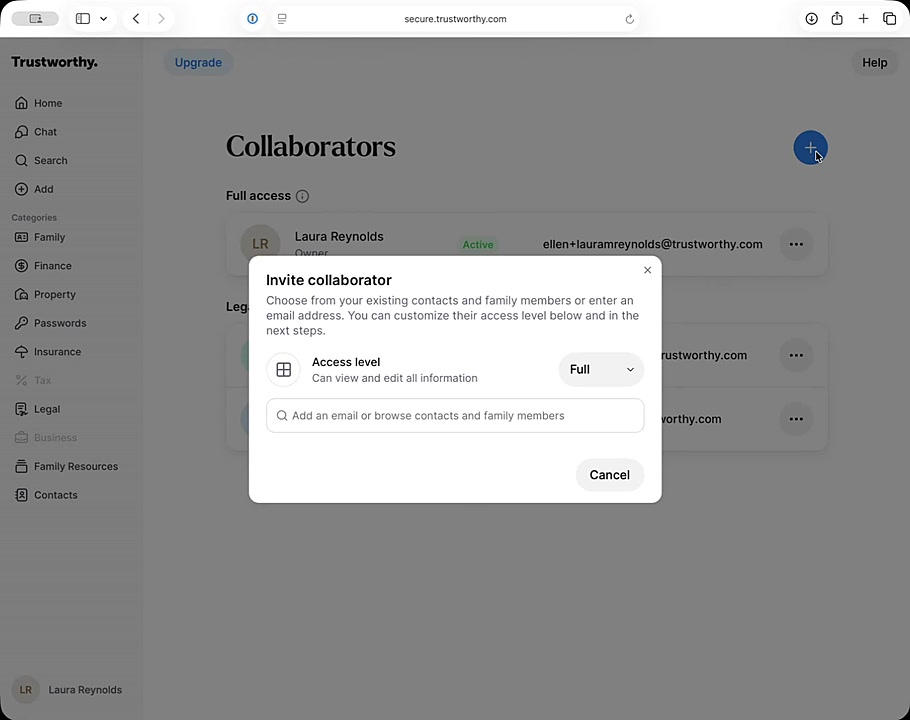
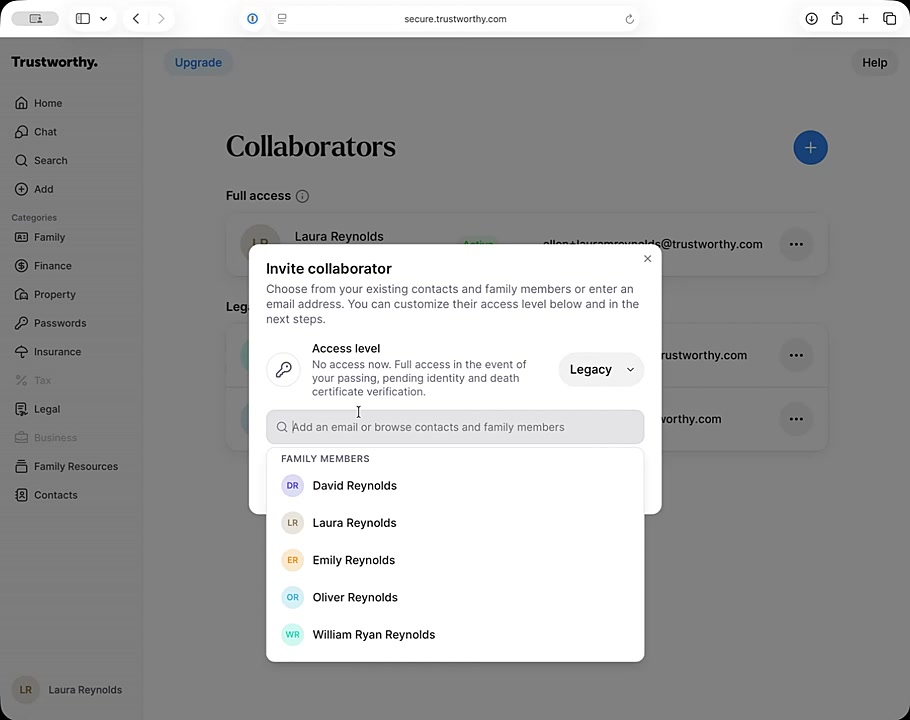
From the Collaborators page, click the blue + icon to open the invite window.
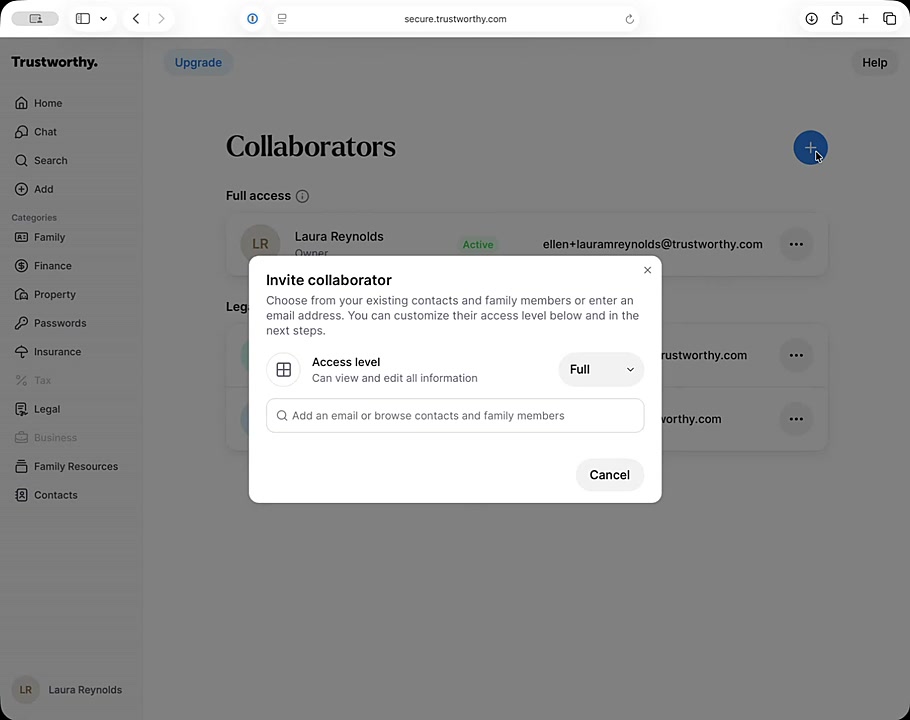
Click the Access level dropdown menu and select Legacy.
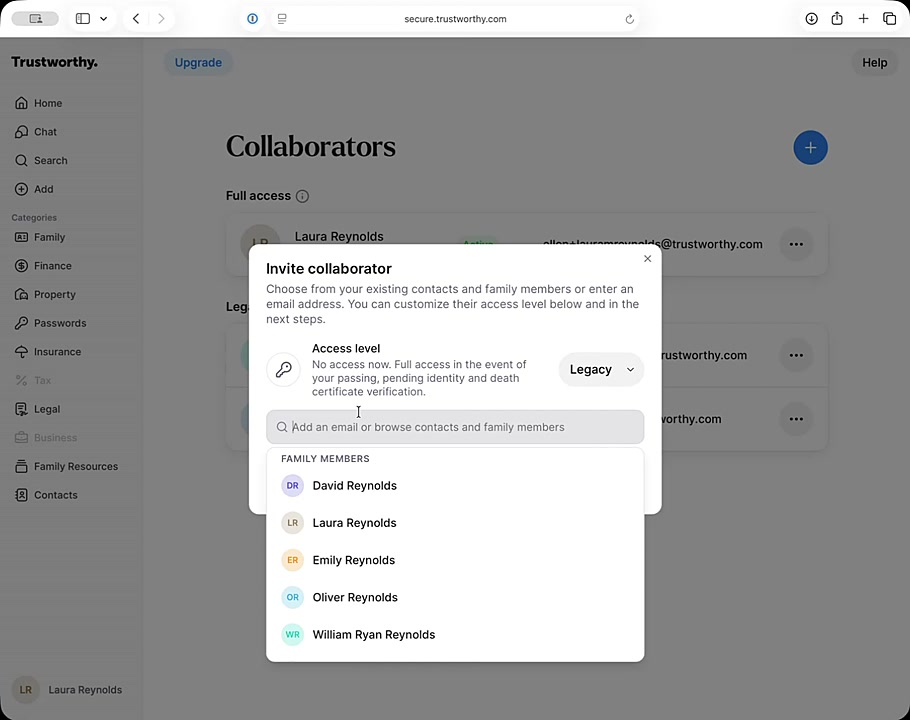
In the search bar, enter the email address of the person you want to invite.
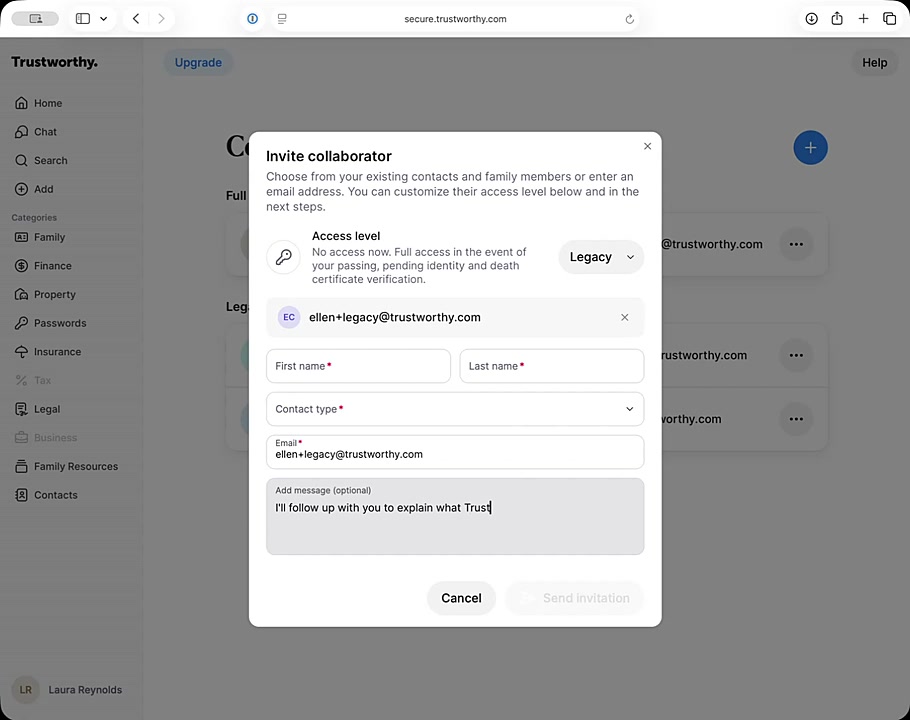
Click Add "[email address]" to proceed.
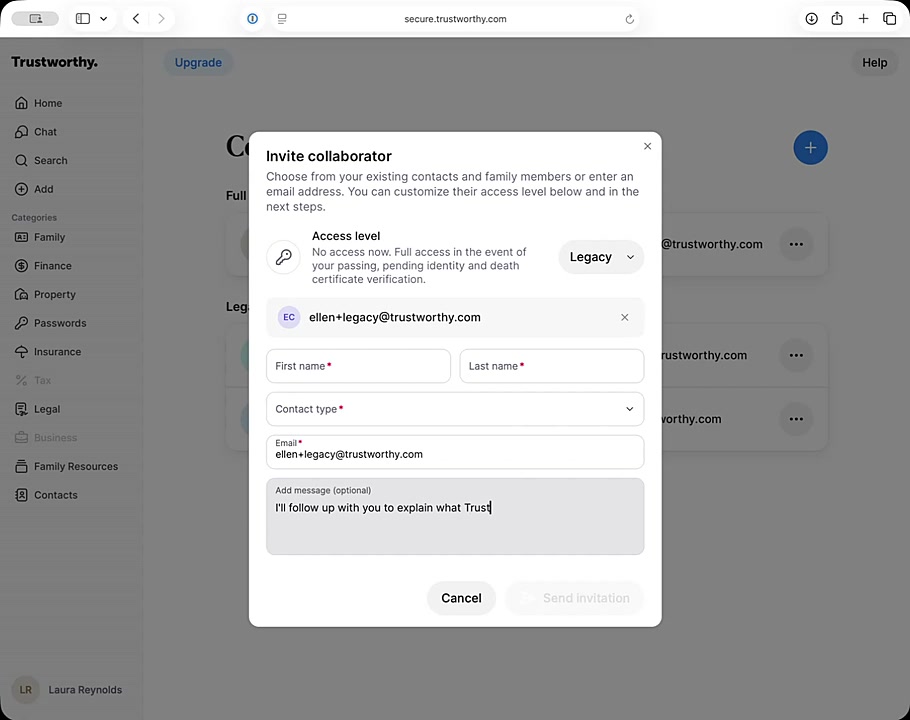
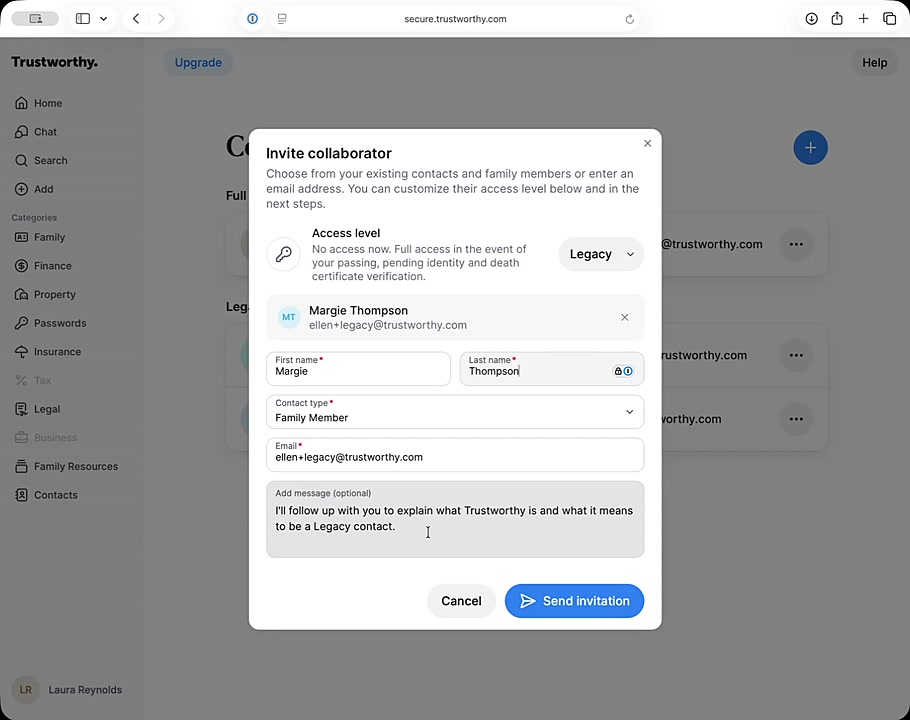
Fill in the required fields for the collaborator's First name, Last name, and Contact type.
Optionally, you can write a personal note in the Add message text box. This message will be included in the invitation email.
Click the Send invitation button to complete the process.
Managing Your Invitation
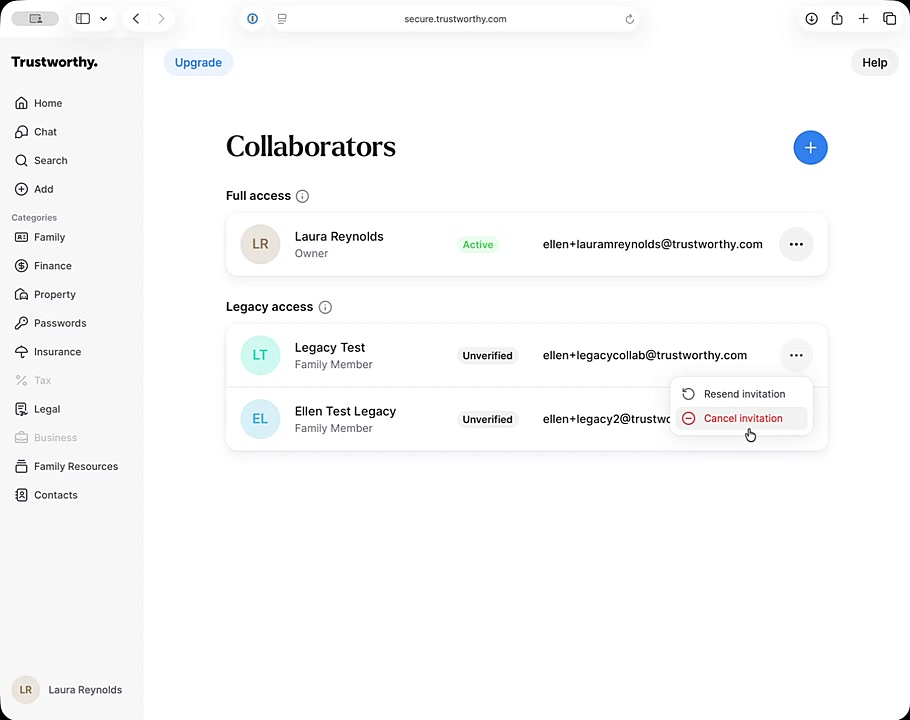
After you send the invitation, the collaborator will appear in your Legacy access list with an Unverified status. This status will change once they accept the invitation and verify their account. If they don't receive the email or you need to make a change, you can:
Click the three-dot menu next to their name.
Select Resend invitation to send the email again.
Select Cancel invitation to revoke the invitation completely.
What Happens Next
After you send the invitation, your collaborator will receive an invitation by email. They must accept the invitation to activate their future legacy access.
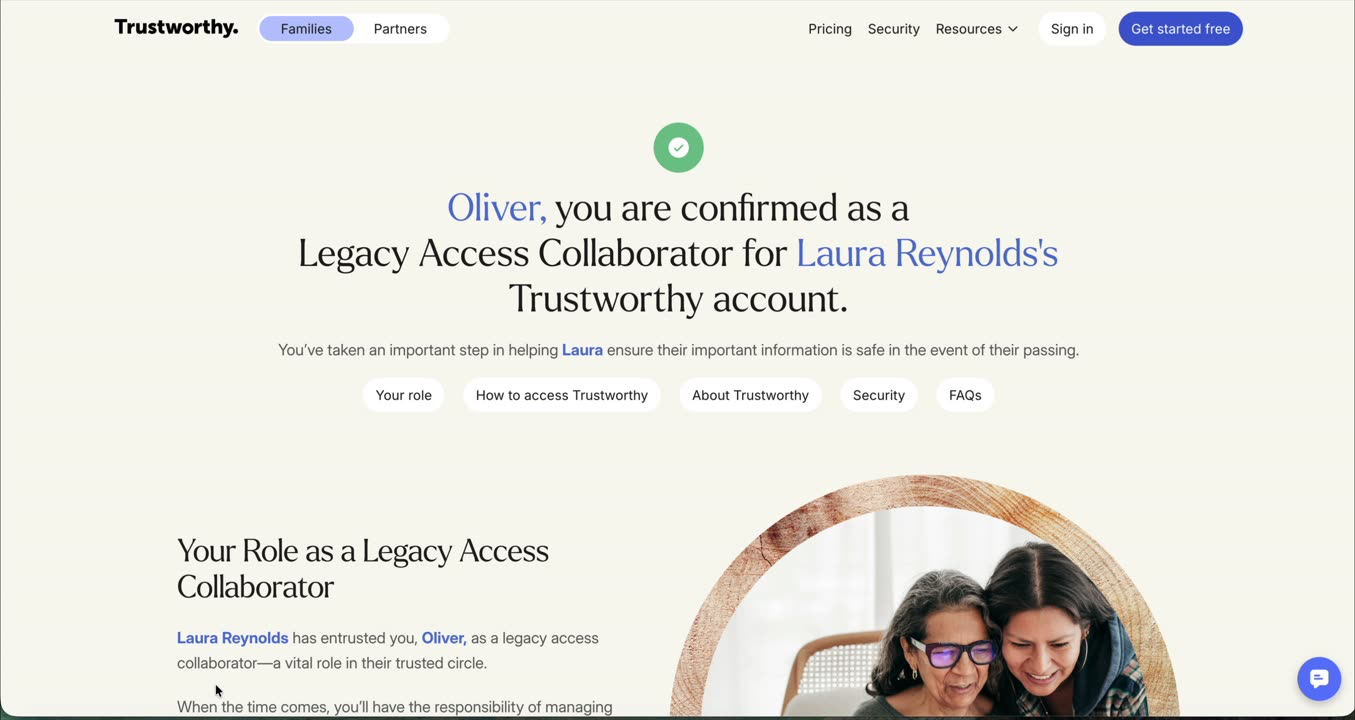
Your new legacy collaborator will arrive at a confirmation screen that will supply additional details and context about legacy access role and how to activate it, if needed. Trustworthy will also send an annual reminder to your legacy collaborator.
You will also receive an email confirmation once they have accepted. In addition, if you go to your account settings and choose "Manage Access", you will see the new legacy collaborator status has changed from "Invited" to "Verified."
If there is a difficulty with them receiving or verifying their role, you can also visit this page to delete the invitation and resend.
Adding Children as Legacy Collaborators
If your child is a legal minor, instead of designating your child as a Legacy Collaborator, you may want to designate a guardian. That decision is entirely up to you.
The main consideration is that if a minor child were the only person with legal access to your Trustworthy account, they wouldn't be able to carry out responsibilities such as administering your estate in the way an executor or guardian could.
Summary
Adding a Legacy Collaborator is a crucial step in preparing your digital estate. This process allows you to designate a trusted individual who can securely access and manage your important information after you pass away. The invitation ensures they are aware of their role, and the verification process maintains the security of your account until access is needed.